


The short version
- Know your depth rating. A GoPro HERO13 Black is waterproof to 33 ft (10 m) on its own, and GoPro's Protective Housing takes it to 196 ft (60 m).
- Phones are not snorkel cameras. Apple and Samsung both say to avoid swimming or submerging with their IP68 phones, so use a tested waterproof pouch or housing.
- Water filters out red light first, so photos turn blue-green. Shoot shallow, keep the sun at your back, get close, and add a red filter or fix the color in editing.
- The best underwater shots come from being still and close, not from better settings. Float, breathe slowly and let subjects come to you.
- Never touch coral or chase wildlife for a shot.
Underwater photos are some of the most rewarding pictures you'll ever take, and some of the most disappointing. The reef that looked electric in person comes home as a blurry blue smear. That gap isn't about owning an expensive camera. It's about how light behaves in water and a few habits that work with it. This guide covers how to protect the camera or phone you already own and how to come home with shots worth printing.
Action camera or phone: what's actually waterproof
| Device | Manufacturer rating | OK for snorkeling? |
|---|---|---|
| GoPro HERO13 Black | Waterproof to 33 ft (10 m) without a housing | Yes, built for it |
| GoPro in Protective Housing | Housing rated to 196 ft (60 m) | Yes, and suitable for diving |
| iPhone 12 through iPhone 17 | IP68, up to 6 m for 30 minutes, tested in lab conditions | No. Apple says to avoid swimming and intentional submersion. Use a housing |
| Samsung Galaxy (IP68 models) | Up to 1.5 m in fresh water for 30 minutes | No. Samsung advises against salt water, waves and pools. Use a housing |
| Phone in a waterproof pouch | Depends on the pouch. Look for an IPX8 rating with a stated depth | Yes, for shallow snorkeling, if tested first |
| Phone in a hard dive housing | Depends on the housing | Yes. Better controls and deeper ratings |
The phone ratings matter more than people think. Apple's support page lists swimming, bathing and intentionally submerging the iPhone among things to avoid, and states that liquid damage isn't covered under warranty. It also notes that water resistance can decrease with normal wear. Samsung's IP68 rating applies to still fresh water. It advises against salt water and forceful water like waves, and says to rinse the phone gently in fresh water if it's exposed. The IP rating is a margin for accidents, not permission to snorkel. Our waterproof ratings guide explains what IPX7, IPX8 and IP68 really mean.
Before trusting a pouch or housing with your phone, test it. Seal it with a folded tissue inside and hold it underwater in a sink or pool for longer than your planned swim. Then check that the tissue is bone dry. Repeat the test at the start of every trip.
Shop the gear: Waterproof Cases, Pouches & Cameras · Snorkel & Dive
Why underwater photos look blue, and how to fix it
Water absorbs light, and it absorbs colors unevenly. NOAA's Ocean Exploration explains that red light, with the longest wavelength, is absorbed first, followed by orange and yellow, while blue penetrates deepest. The deeper you go, the more red disappears. By 100 meters, NOAA notes, no red light penetrates at all. That's why a red fish can look grey and everything takes on a blue-green cast.
Four ways to fight it, from free to paid:
- Stay shallow. Snorkelers have an advantage here: the top few feet of water have the most light and color. Bright midday sun in clear, shallow water gives the most vivid results.
- Get close. Every foot of water between the lens and the subject strips color and contrast. Halving the distance improves a photo more than any setting.
- Use a red or magenta filter once you're deeper than the surface layer. Red filters are the standard for blue water, and dedicated green-water filters exist for lakes and greener seas. Filter systems like the FLIP range for GoPro offer different filters for different depths. At the surface, you usually don't need one.
- Fix it in editing. Adjust white balance by tapping on something that should be white or neutral grey, like sand. That brings much of the warmth back.
Include a patch of pale sand or neutral reef in the frame. It gives the camera's auto white balance (and you, later in editing) a reference for what "white" should look like.
Camera settings that work
Action cameras
- Shoot video at a high frame rate, such as 4K or 2.7K at 60 fps. You'll get smooth footage, the option of slow motion, and the ability to pull sharp still frames later. For moving subjects, that often beats shooting photos.
- Use a wide lens setting. It's forgiving when framing without a screen you can easily see, and wide works best for close subjects like turtles, schools of fish and your buddy.
- Use burst or time-lapse photo modes for photos of moving subjects, then pick the best frame.
- Keep it simple. Leave color profiles on standard unless you enjoy color-grading.
- Keep the lens clean. The HERO13's hydrophobic lens cover sheds water above the surface. Underwater, check for bubbles on the lens or housing port and wipe them away.
Phones in a housing or pouch
- Lock exposure and focus before you go under. Touchscreens don't work through water, so set up the camera app, and ideally start recording, before the phone goes into the pouch.
- Use physical buttons. Volume buttons can often trigger the shutter through a soft pouch. Check this at home.
- Use 1x or 0.5x lenses. Zooming underwater just magnifies the haze.
- Record video. It's far easier than timing a shutter press while finning.
Composition and technique
- Sun at your back. Light the subject from behind you, just as on land.
- Angle slightly down, or shoot up. A slight downward angle over a sunny reef gives rich color. Shooting upward toward the surface creates striking silhouettes of swimmers, turtles and boats against the light.
- Get level with your subject. Straight-down shots of fish backs are rarely interesting. Dive down a little, or wait for the subject to rise, and shoot eye to eye.
- Fill the frame with something big enough. Wide lenses suit subjects roughly basketball-sized or larger: people, turtles, schools of fish, coral heads. Tiny critters disappear.
- Stay still. Float flat, breathe slowly and hold the camera steady with two hands or a grip. Many of the best shots come from hovering in one spot and letting fish forget you're there.
- Photograph your buddy. People give a sense of scale and story to otherwise anonymous blue water.
Photography is distracting. Keep checking your position, your buddy and the conditions. It's easy to drift into a current or away from your exit while you're looking through a lens. Never hold your breath longer than is comfortable to get a shot, and never hyperventilate before diving down. Our snorkeling guide explains why.
Accessories that make a difference
| Accessory | Why it helps |
|---|---|
| Floating hand grip | Steadier shots, and the camera floats if you let go |
| Wrist strap or leash | Cheap insurance against losing the camera |
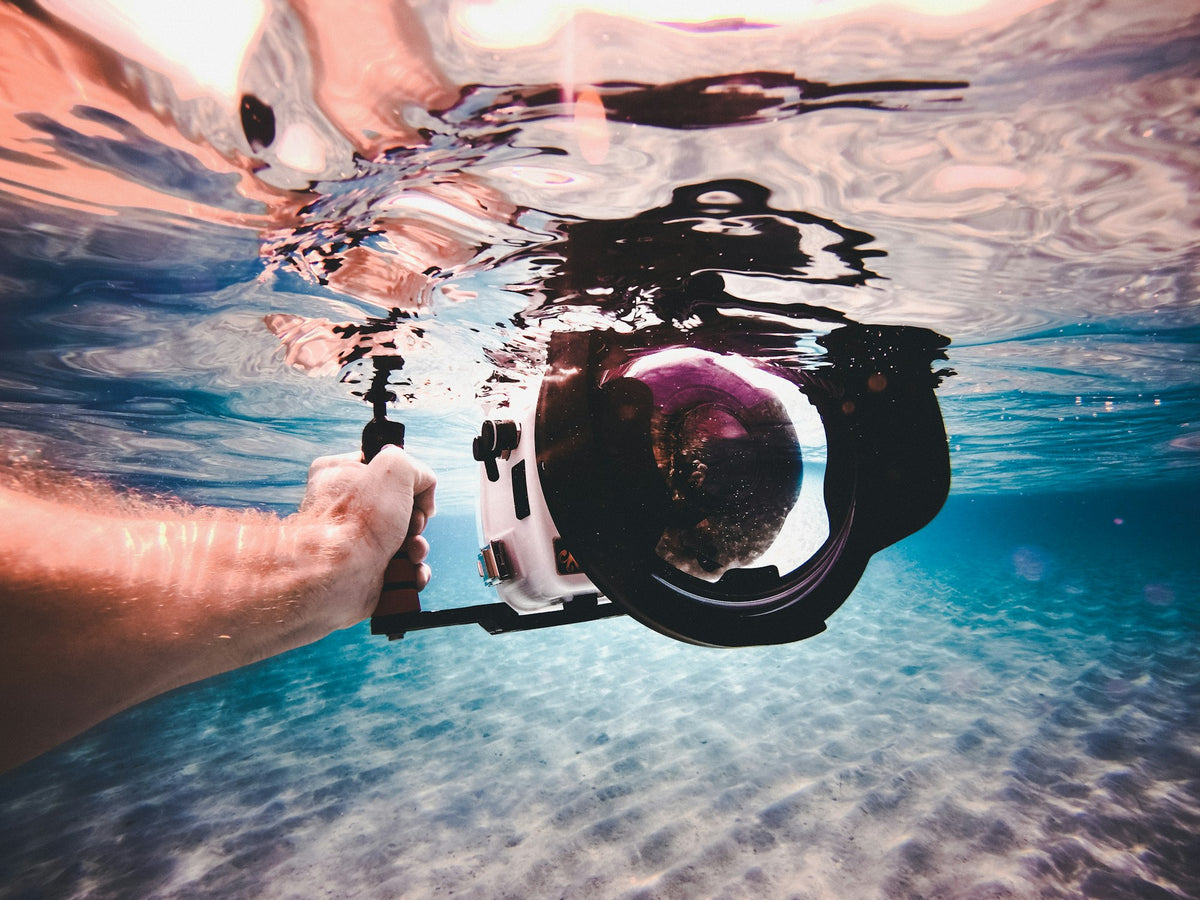
| Dive housing | Deeper ratings, a filter mount and better protection |
| Red or magenta filter | Restores warm colors once below the surface layer |
| Anti-fog inserts | Absorb moisture inside a housing in warm, humid conditions |
| Spare batteries and cards | Cold water and video drain batteries fast |
| Dry bag | Keeps everything else dry on the boat or beach |
For housing fog, load the camera in cool, dry air (not in a humid bathroom or a hot car), and don't let a sealed housing bake in the sun before you get in.
Shop the gear: Dry Bags · New Arrivals
Care after every session
- Rinse in fresh water while the housing or pouch is still closed. Press every button underwater to flush out salt and sand.
- Dry completely before opening, so no drips land on the camera or phone.
- Inspect the seal. Check housing O-rings and gaskets for hair, sand and nicks. One grain of sand can cause a flood.
- Back up your files the same day.
- If a phone got wet, follow Apple's guidance: tap it gently with the connector facing down, and let it air-dry. Don't use heat or poke objects into the port, and wait at least five hours after it's fully dry before charging with a cable.
Shoot responsibly
- Never touch, stand on or steady yourself on coral to get a shot.
- Don't chase, corner or feed wildlife. Keep your distance, such as at least 10 ft from sea turtles in Hawaii, and use your camera's wide angle rather than closing in.
- Choose reef-friendly sun protection. See our reef etiquette guide.
FAQ
Can I take my iPhone snorkeling without a case?
Apple doesn't recommend it. Its support page lists swimming and intentionally submerging the iPhone among things to avoid, and liquid damage isn't covered under warranty. Use a tested waterproof pouch or housing.
How deep can a GoPro go?
The HERO13 Black is waterproof to 33 ft (10 m) on its own. GoPro's Protective Housing extends that to 196 ft (60 m).
Do I need a red filter for snorkeling?
Usually not at the surface, where there's plenty of light. Filters help once you're diving down or in deeper water. Shooting in good sun and correcting white balance in editing is often enough for snorkelers.
Why are my underwater videos blurry?
Usually it's distance (too much water between lens and subject), camera shake, or water droplets and bubbles on the lens. Get closer, hold the camera steady with a grip, and wipe the lens port before each shot.
 Water
Water